Deck outline
See the page list, core message, density, and visual role before the image generation queue starts.
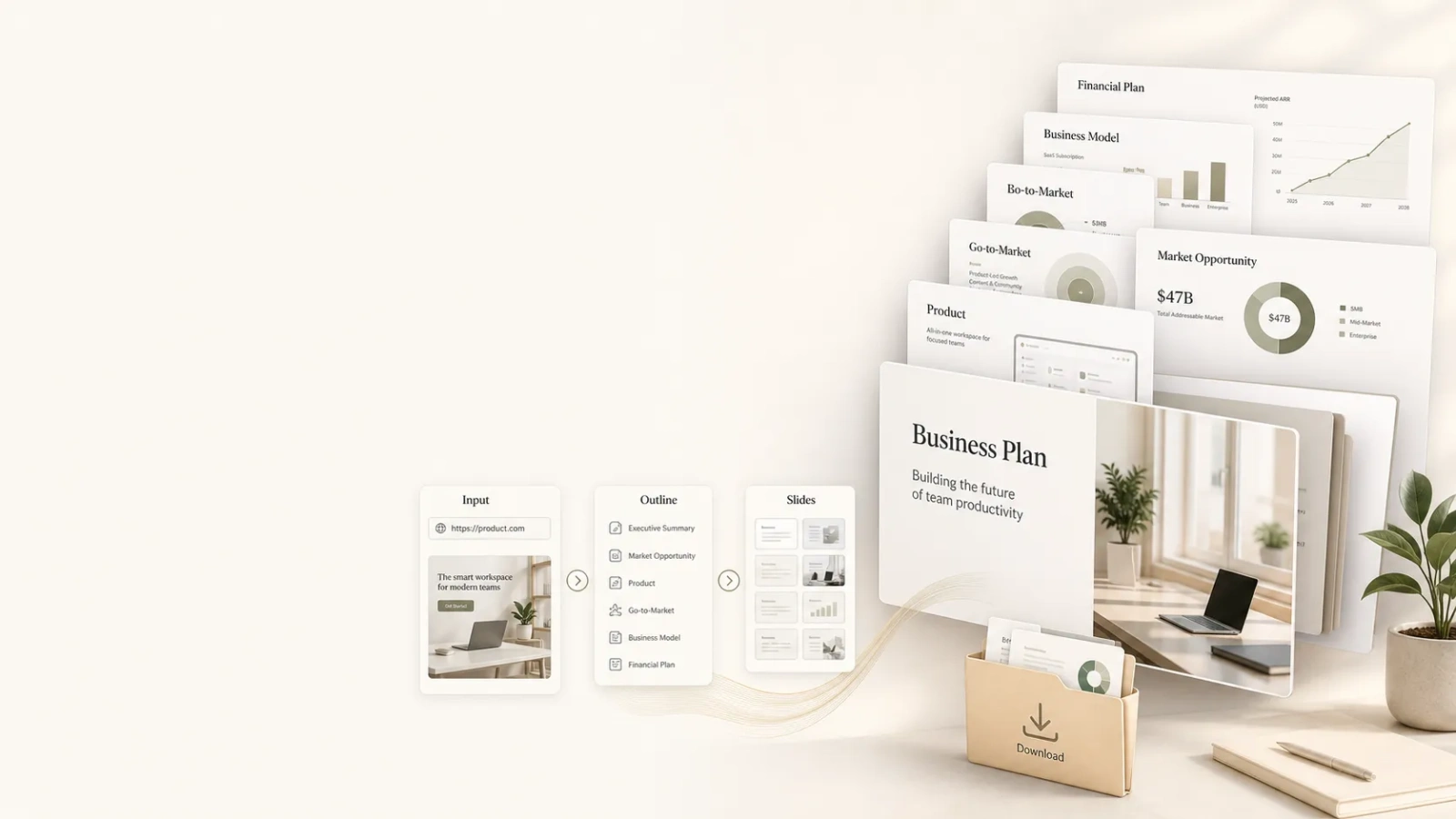
Tool task
Turn rough product context, brand constraints, audience, and go-to-market goals into an image-based business plan deck for fundraising, hiring, launches, and partnerships.
Enter a product website or write the product context manually. The Agent returns the deck outline first, then generates image-based BP pages in order.
Style direction
Swipe horizontally, or skip it
No reference images uploaded yet
PNG, JPG, or WebP. Up to 6 images; they are compressed before being sent to the Agent.

The BP outline and image pages will appear here
You will see the page outline and thinking process first, then generated images appear in order. Final output supports single-page and package downloads.
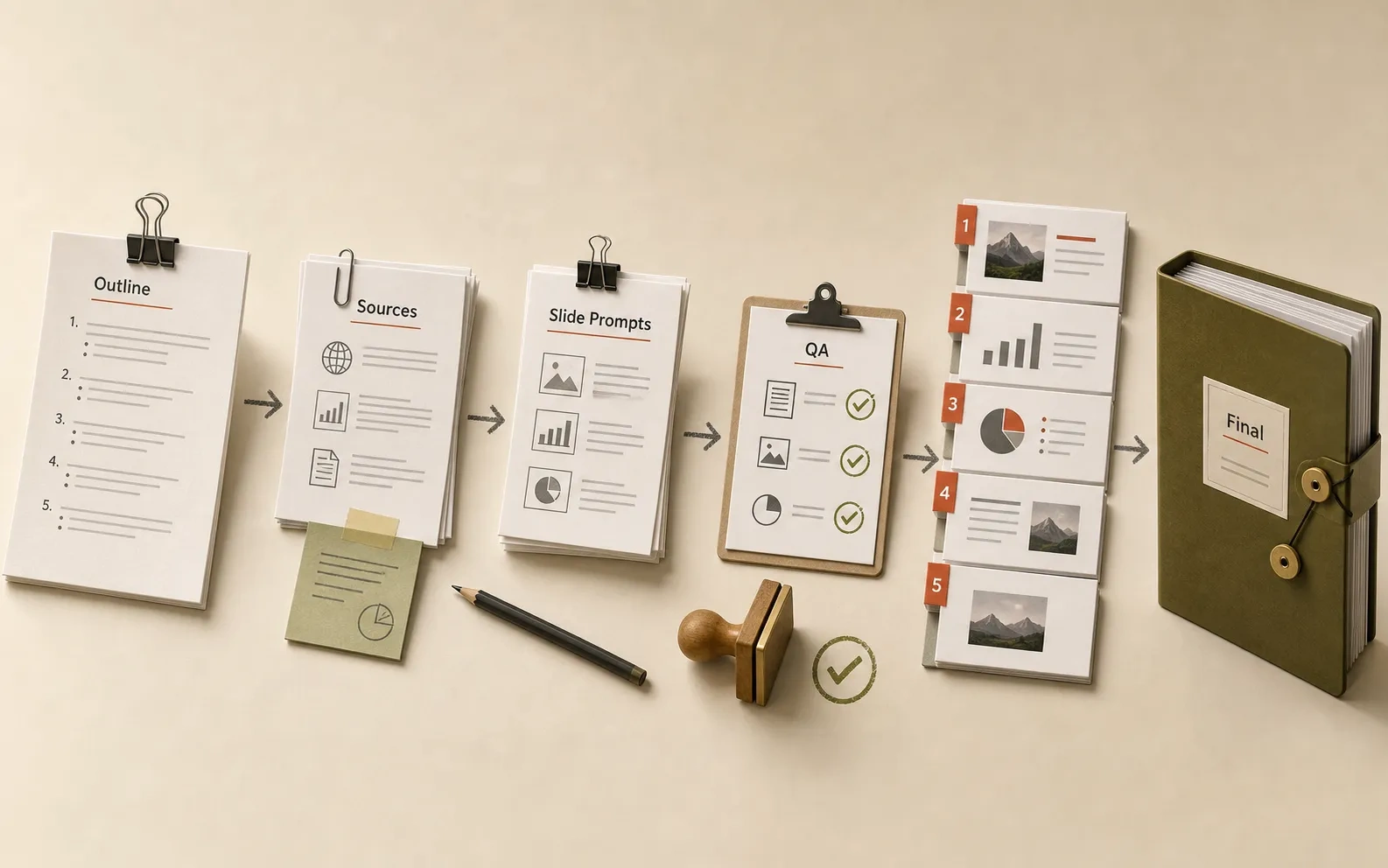
The output is not just business-plan prose. It is a reviewable, downloadable, revisable image deck production package.
See the page list, core message, density, and visual role before the image generation queue starts.
Each slide appears as it is generated, while the front end preserves the intended order across batches.
Pick one of three abstract visual directions, or skip selection and let the Agent choose from the product context.
Market evidence, public sources, image-text risks, missing information, and review notes are returned separately.
Download each generated page for replacement, review, or reuse in another presentation flow.
The final package supports batch download with recognizable product and slide names instead of random filenames.
A useful BP Agent needs more than a filled template. It must coordinate narrative, evidence, brand consistency, image quality, and delivery rules.
Clarify why the product exists, who needs it, why now, how it works, and who should join before producing pages.
Each page should carry one core judgment. If the content is too much, split the page instead of shrinking type.
Product name, logo, banned terms, old names, IP rules, and visual constraints are locked into the brief.
Market, trend, and numeric claims need sources. Uncertain facts become QA notes rather than confident claims.
The user sees the outline and current stage first, then image pages appear in batches with clear status.
Final images, contact sheet, outline, sources, QA, and package links should all point to one authoritative version.
A business plan can affect fundraising, hiring, and public commitments, so the output should be treated as a strong first draft, not an unreviewed final asset.
Turn product progress and long-term vision into material investors, candidates, and supporters can understand.
Create a discussable first version for pitches, partnerships, internal strategy reviews, and product introductions.
Package positioning, pain points, timing, and commercialization path into image assets that are easier to share.
Help teams with uneven starting points reach a decent BP baseline before focusing on evidence and story quality.
The value of a BP starts with narrative order and page-level judgment. Direct image generation often creates nice pages that do not tell a clear story.
Yes. URL mode can start from a website, but if the site is thin, the result will list missing information such as audience, commercial goals, brand rules, or data sources.
No. They are lower-level visual directions such as narrative impact, operating structure, and market mapping. They can apply across internet product categories.
This version is image-based. It does not promise HTML or editable PPT output yet, though the manifest can support future export flows.
It needs review. Image models can alter words, numbers, or punctuation, especially for long text and market-data pages.
The Agent should return product, page index, and slide-topic based filenames such as tomako-business-bp-01-cover.png instead of random task IDs.
After the BP is clear, continue with launch plans, store screenshots, social profiles, and campaign assets.