MJML Source
Use MJML as the editable source of truth for responsive email layouts, spacing, sections, buttons, and footer structure.
Describe the email goal, audience, scenario, and brand tone. The generation workflow returns a structured MJML-first package you can preview, revise, copy, or export.
Use MJML as the editable source of truth for responsive email layouts, spacing, sections, buttons, and footer structure.
Export a matching HTML version for email service imports, developer review, and client-side preview.
Get a readable text version for deliverability, accessibility, and clients that do not render HTML.
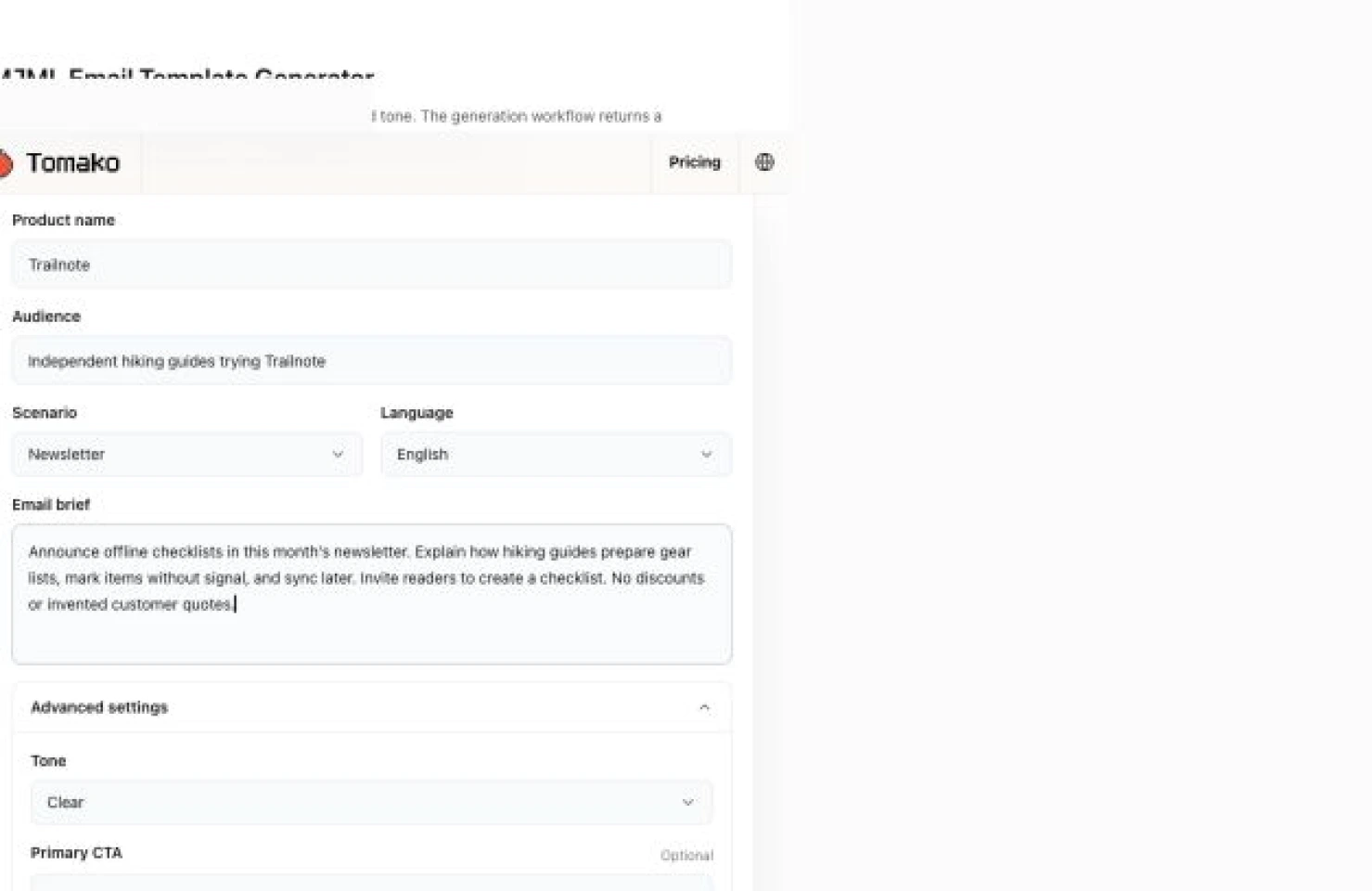
Name the audience: In this example, the readers are hiking guides trying Trailnote. Their task is preparing gear lists, so the email can focus on offline use rather than generic productivity.
Describe a real change: The newsletter announces offline checklists and later syncing. Include facts the email may use, and say when discounts, testimonials, or claims must not be invented.
Choose one action: Ask readers to create their first checklist. Add the actual destination in your sending system before using the export.
Review the package: Check the HTML preview, editable MJML, and plain text together. Replace merge fields and test the finished email in your sending platform.
Good Fit: Marketing newsletters, launch emails, promotional campaigns, onboarding and lifecycle nurture emails.
Good Fit: Common transactional templates such as verification codes, invoices, receipts, subscription confirmation, and account notifications.
Good Fit: Developer handoff packages for teams that want MJML source, HTML export, plain text, variables, and review notes.
Needs Human Review: CAN-SPAM, GDPR/ePrivacy, CASL, unsubscribe links, sender identity, legal footer, claims, discounts, and sweepstakes language.
Needs Human Review: Deliverability-sensitive content such as cold outreach, regulated products, financial promises, medical claims, or high-risk promotions.
Needs Human Review: Brand-critical copy, localization, image assets, merge variables, and email service provider requirements.
How To Recover: If the result is too generic, add real product value, user segment, offer, CTA, objections, and brand examples.
How To Recover: If the template feels too promotional, switch to a transactional scenario or ask for the sales language to be removed.
How To Recover: If a merge field or link is missing, add the required variable name and regenerate through the revision box.
Start from MJML when editing layout, spacing, buttons, sections, or footer blocks.
Use the HTML export for preview, implementation review, or importing into systems that accept raw HTML.
Keep the plain-text version aligned with the core message and CTA so accessibility and deliverability do not become afterthoughts.
Before sending, test desktop and mobile rendering, unsubscribe and preference links, merge variables, preview text, sender identity, and tracking requirements.
Describe the email goal, audience, scenario, and brand tone. The generation workflow returns a structured MJML-first package you can preview, revise, copy, or export.
It generates both. MJML is treated as the editable source, while HTML is included for preview, import, and developer handoff.
Yes. It supports verification codes, invoices, receipts, subscription confirmations, and account notifications. These scenarios are kept more factual and less promotional.
Yes. You can inspect sections and submit revision instructions. The next version is returned as a new structured result.
It is a strong starting point, but you should test it in your email service provider and review unsubscribe, sender identity, claims, variables, and rendering before sending.
A product name, audience, scenario, goal, offer or trigger, brand tone, CTA, and must-include details are enough for a useful first version.
Add product proof, customer segment, objections, offer details, sender identity, variable names, and a clearer CTA, then regenerate through the revision box.